 Rhinehart Studio
Download · £9
Keep your Etsy shop's money records in the right categories
A spreadsheet for UK sole traders who sell on Etsy: income, expenses, mileage and quarterly totals, sorted into the categories used for Self Assessment and Making Tax Digital, with a guide to where Etsy's fees go.
Instant download · £9 one-off · Excel and Google Sheets
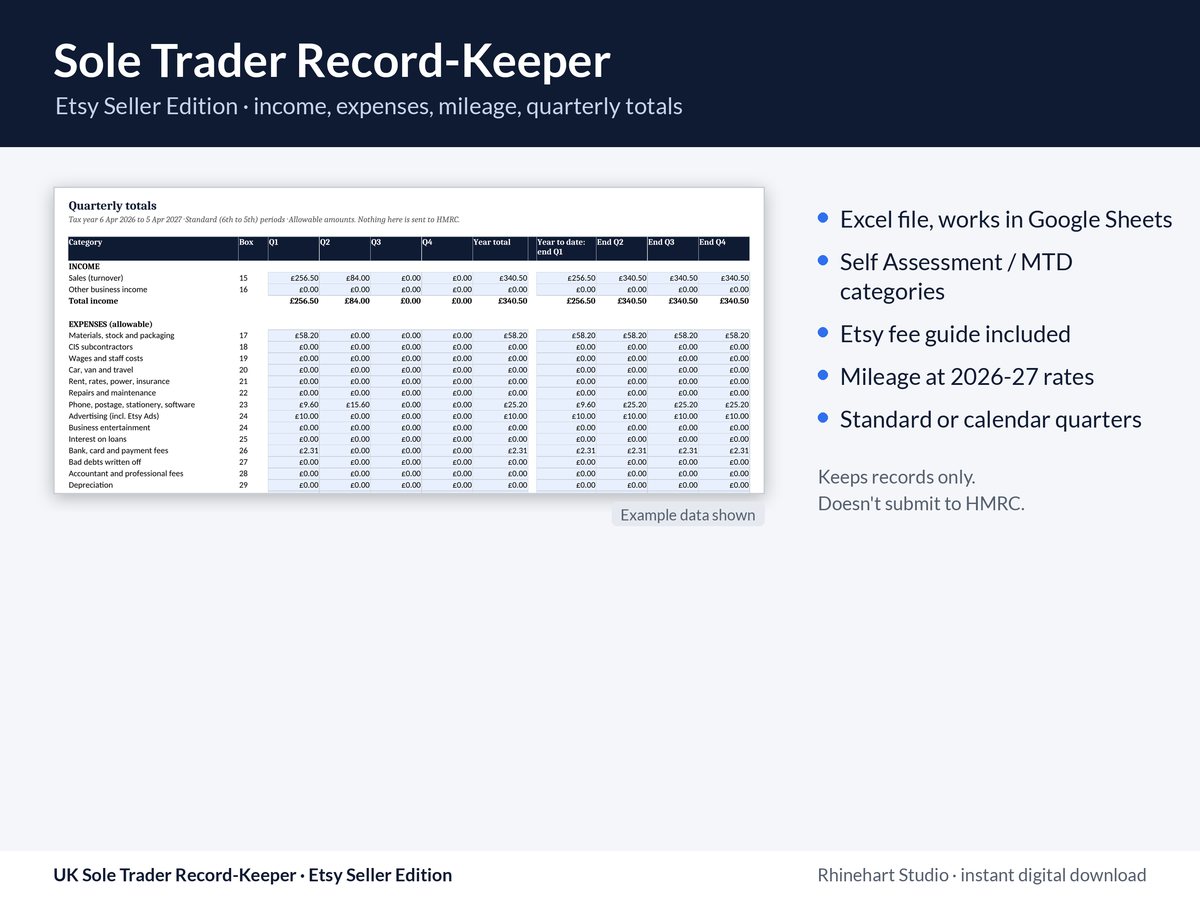
Images show the real files with example data.
What's in the spreadsheet
- Start here: set your tax year and choose standard quarters (from 6 April) or calendar quarters (month-end). The quarterly update dates are shown.
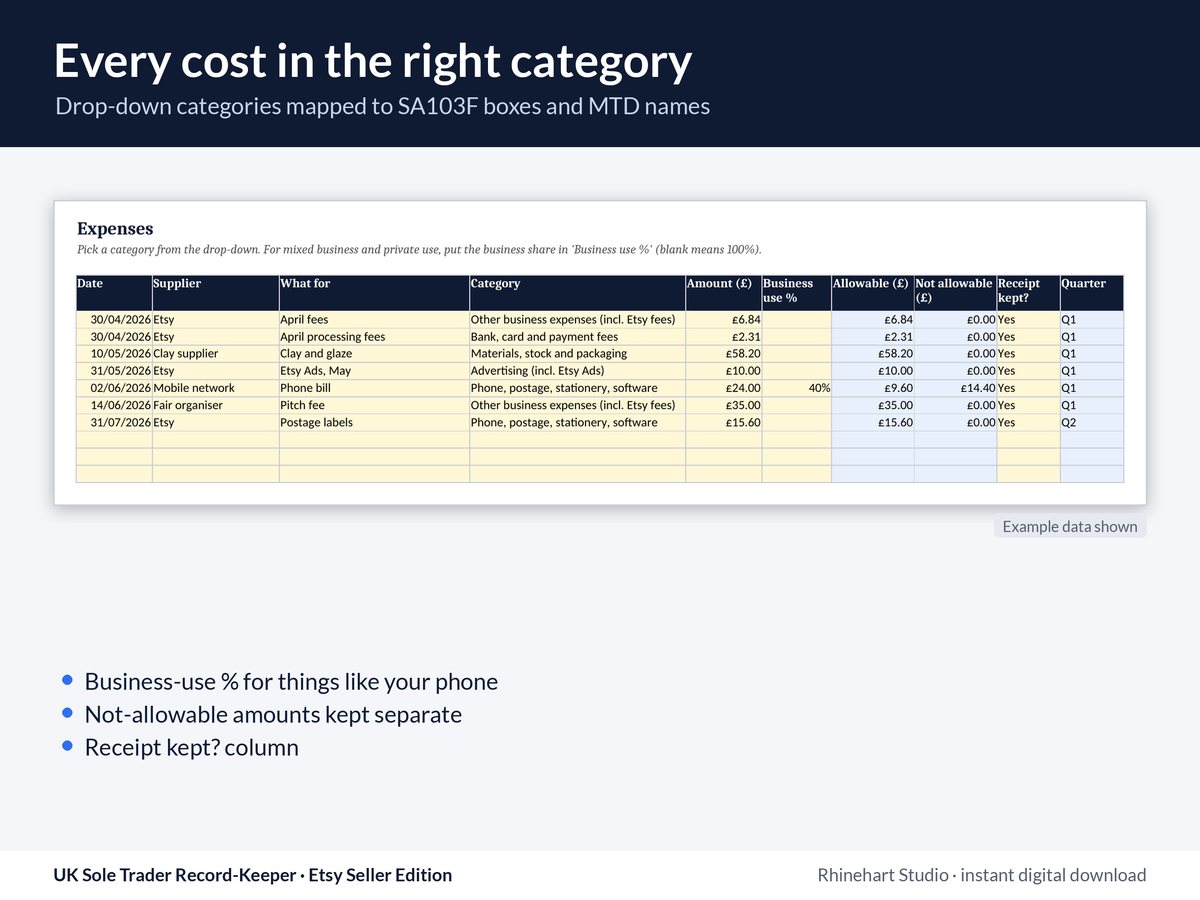
- Income and Expenses: up to 1,000 rows each. Expenses have a drop-down category, a business-use % for mixed costs, a "receipt kept?" column, and costs that aren't allowable (such as entertaining and depreciation) kept separate.
- Mileage: up to 400 journeys, at 55p a mile for the first 10,000 car or van miles and 25p after that (2026-27 rates, editable).
- Quarterly totals by category for each quarter, the year so far and the year.
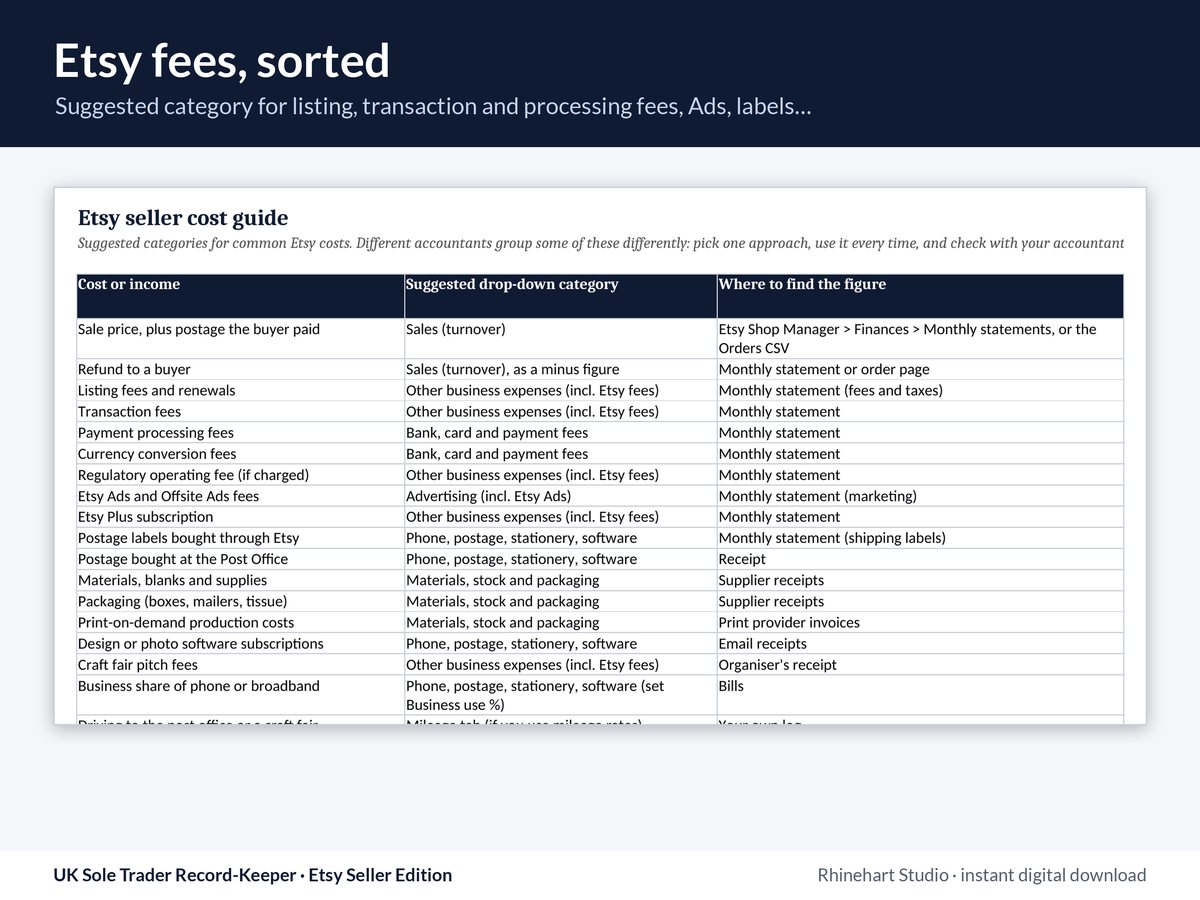
- Etsy cost guide: a suggested category for listing, transaction and processing fees, Etsy Ads, postage labels, packaging and more.
- Category map from the SA103F boxes to the MTD category names, with GOV.UK sources.
No macros. It works in Excel, LibreOffice and Google Sheets.
Records only
This is a record-keeping spreadsheet. It doesn't connect to HMRC or submit anything. You still file through HMRC's online services or software that works with Making Tax Digital. To see whether and when MTD for Income Tax applies to you, use GOV.UK's eligibility checker.
Etsy and other platforms report sellers' income to HMRC once a seller has 30 or more sales of goods, or €2,000 (about £1,700) or more, in a calendar year (GOV.UK). Tidy records make those figures easy to match up.
General information, not tax advice. If your situation is unusual, check with an accountant or HMRC.
Prices in pounds sterling (GBP), one-off, no subscription. If VAT applies, it will be shown before you pay. Checkout on this site is for buyers in the UK. Secure card payment by Stripe; after paying you go straight to your download page. By ordering you agree to our terms, including that you lose the 14-day right to cancel once the download is made available.
FAQ
Do I need to be on Making Tax Digital to use it?
No. It's useful for anyone filing a Self Assessment return as a sole trader. If MTD applies to you, the quarterly totals line up with the update periods.
I sell on more than Etsy. Does it still work?
Yes. Add each sales channel as a source in the Income sheet. The Etsy cost guide is extra help, not a limit.
Will it reduce my tax bill?
We can't promise that. It helps you record costs in the right category so you don't miss allowable ones.
How do I get the files?
Straight after payment, Stripe takes you to your download page. Save the ZIP to your computer. If anything goes wrong, email hello@rhinehartstudio.com with the email address you used at checkout.
Can I get a refund?
Because it's a digital download, you agree at checkout to get it straight away and that you then lose the 14-day right to cancel. If a file is faulty or not as described, email us and we'll fix it, replace it or refund you. See our terms.
How was it made?
We wrote and built it with help from AI tools, then checked every rate, rule and threshold against GOV.UK and the Bank of England. The sources are listed in the files.
Related: what a UK small business website must show by law · AI Set-up for sole traders.